
Grid Editor
quick solutions with preset layouts
What is the Grid Editor?
The Grid Editor is our ideal tool for those who need a fast and effective solution. Thanks to a predefined structure, you can quickly lay out your flyer content without sacrificing a professional result.
START CREATING NOW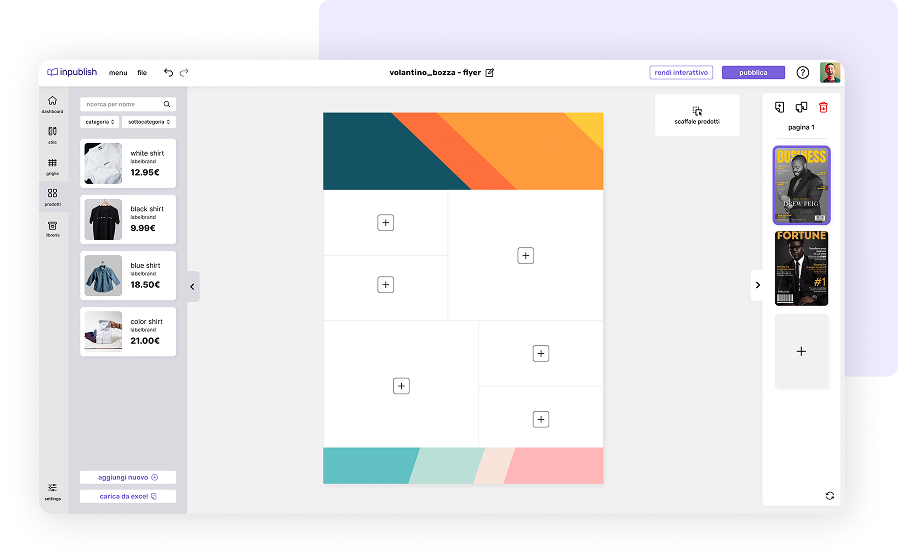
Let's create a publication together with the Grid Editor
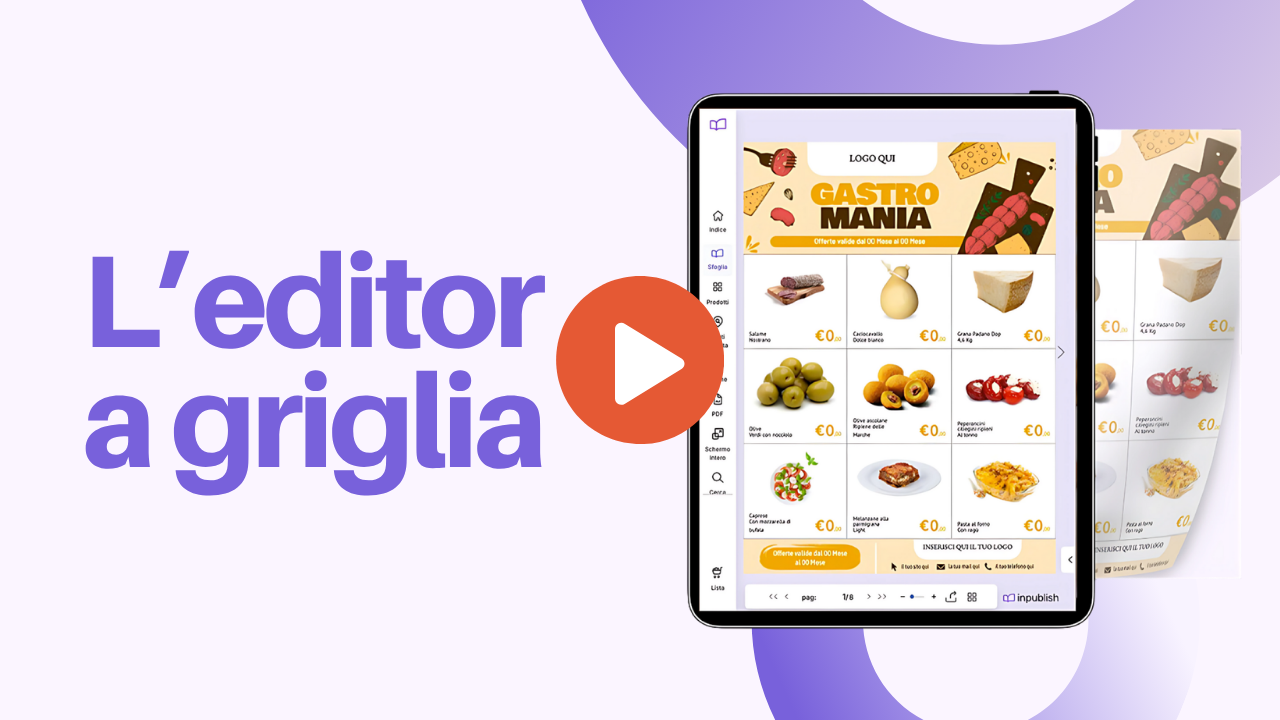
How to create a publication from scratch with the Grid Editor
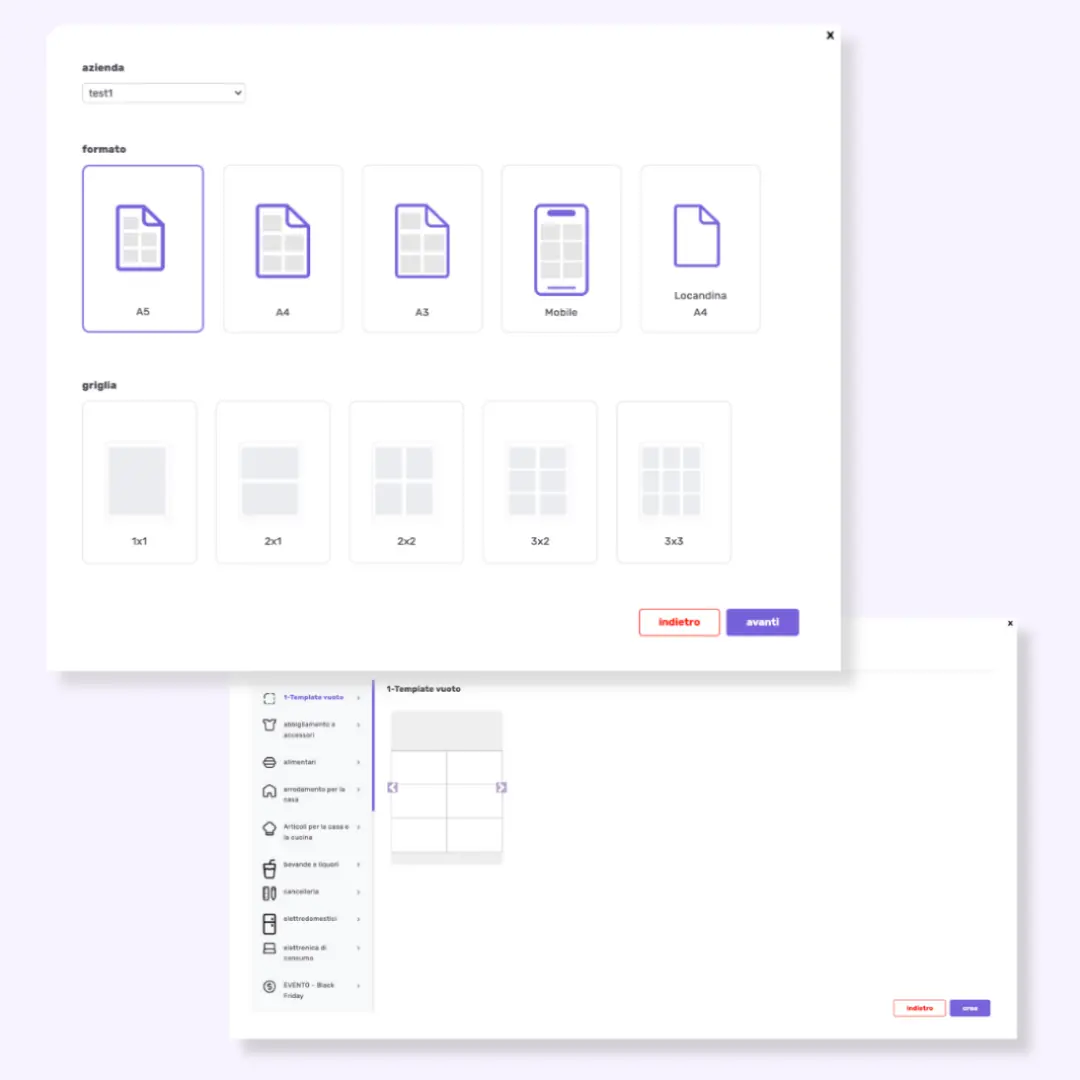
1. Format Selection
Choose the format (A5, A4, A3) based on your needs, to ensure the correct display of the flyer.
2. Grid Selection
Define the structure based on the number of products or elements to include, for a neat, consistent layout.
3. Predefined Templates
Select the template most suitable for your sector or event, starting from an already optimized and customizable base.
4. Layout Customization
Modify the cell structure, header and footer (with corporate colors and logo) to reinforce branding and ensure visual consistency.
5. Adding Products
Add products manually or via bulk upload (Excel file) and position them easily with the drag & drop function.
6. Adding Interactivity and Publishing
Buttons, links and videos to encourage action, then publish and share quickly.
Create your flyer in just a few clicks
simple, fast, no compromises.
- Select the perfect format: choose from different layouts and sizes according to your needs. Whether you're preparing a flyer, a catalog or a digital brochure, you have complete freedom to customize.
- Dynamic grids and preset templates: get straight to the point with optimized grids that let you organize products in a logical and appealing way. With the template gallery, you don't have to start from scratch: choose the design that best fits your brand and customize it as you like.
Not just a simple publication, but a visual project ready to be fully customized.
Upload and add your products in just a few clicks
through Drag&Drop
Adding products has never been so fast and smooth.
From scratch or in bulk: want to add your products manually? You can upload each image, description, price and code individually. If you have a large number of items, upload a preset Excel file to insert everything in an instant.
With the drag & drop feature, drag products directly into the grid and position them exactly where you want, effortlessly.
Make your flyer unique
it's not just design, it's your visual identity
- Custom color, font and layout: play with the color palette, choose the most suitable fonts and customize the page layout to maintain visual consistency with your brand identity.
- Customize banner and footer with logo and contacts: position your logo, insert a promotional message and add all contact information so that the customer has everything at hand.
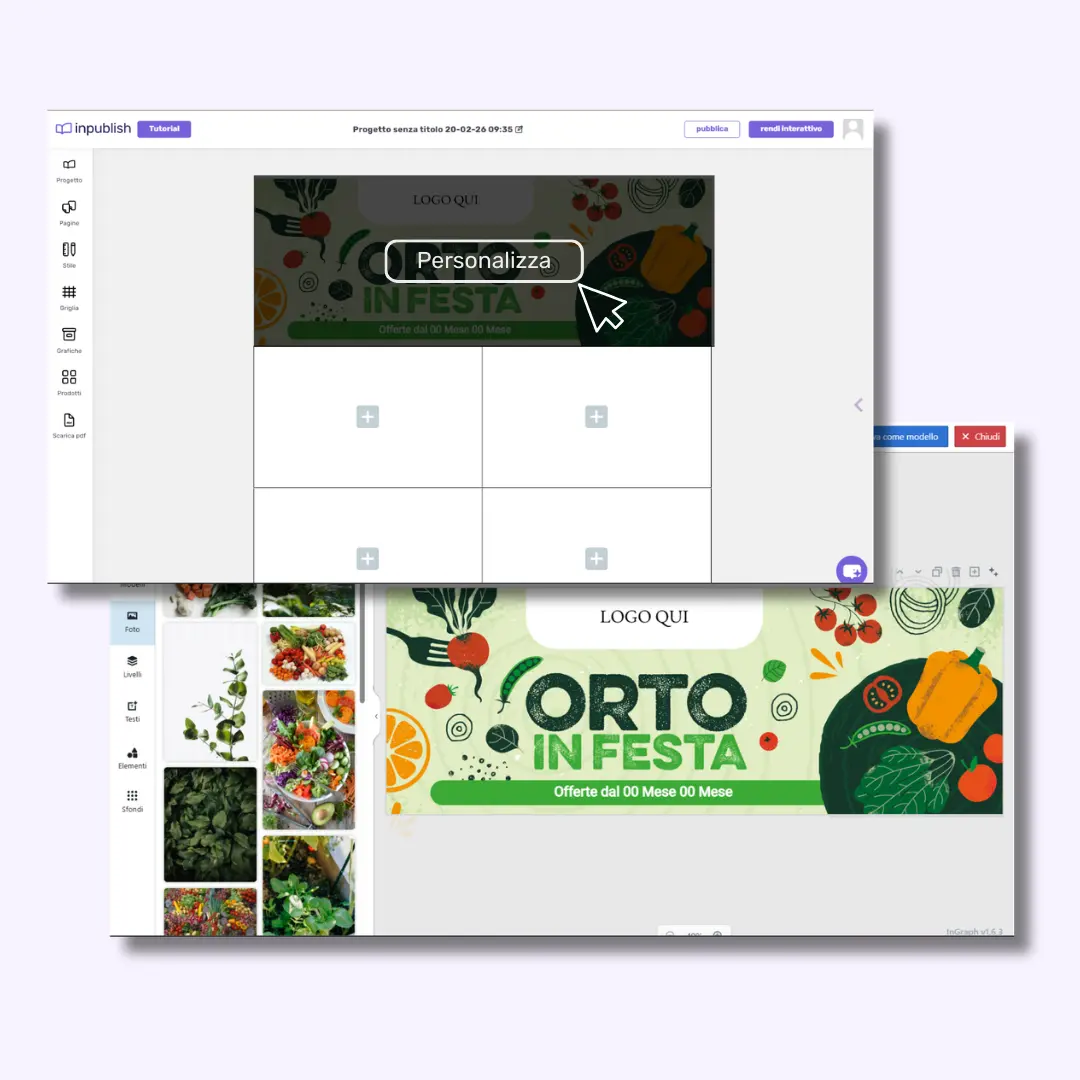
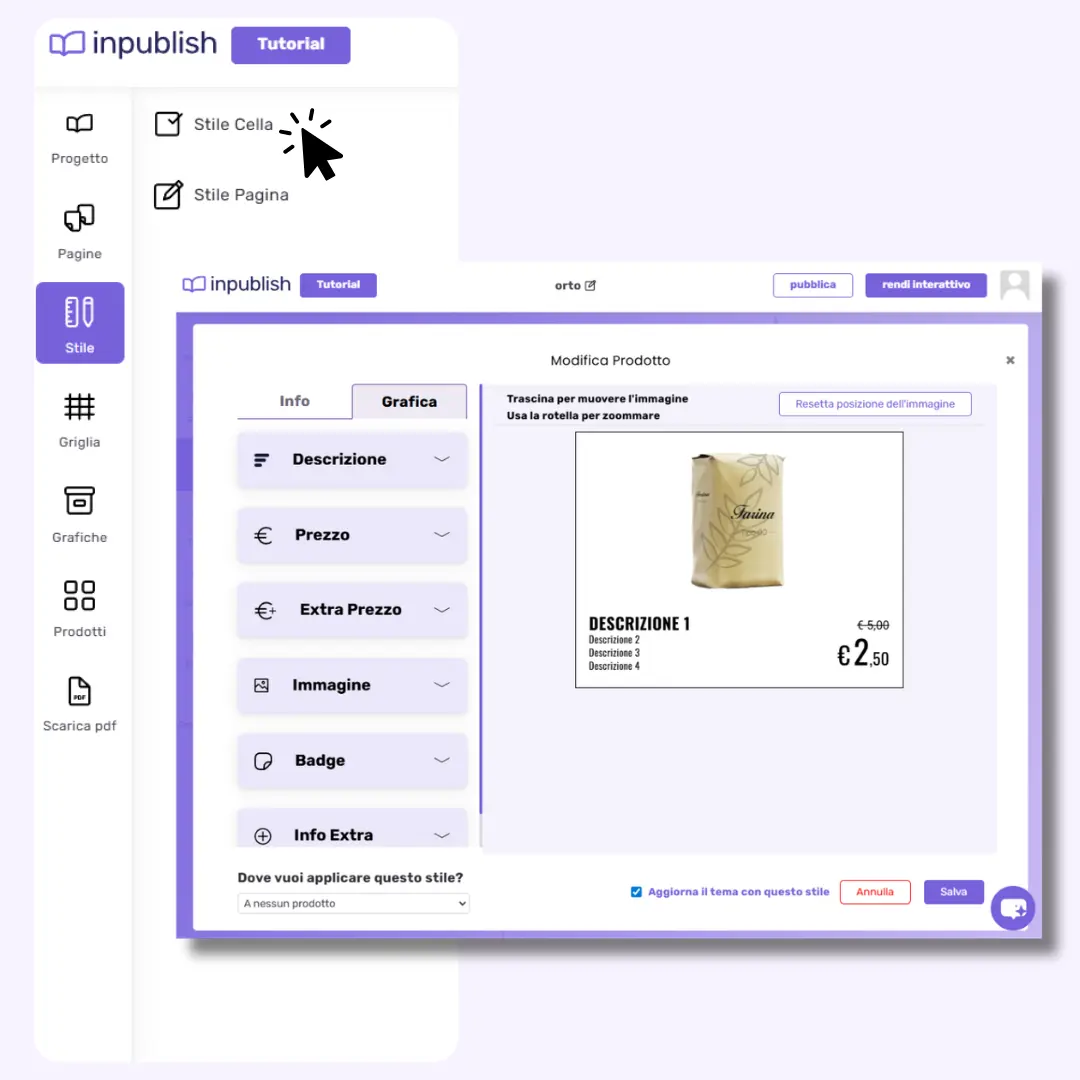
Edit the cell layout
customize every detail with precision
Change the font, color, text size, caption size and graphic appearance of the price to get a flyer perfectly in line with your company image. Customize the cell style to match your look perfectly.
Define your flyer's look
transform and customize the structure
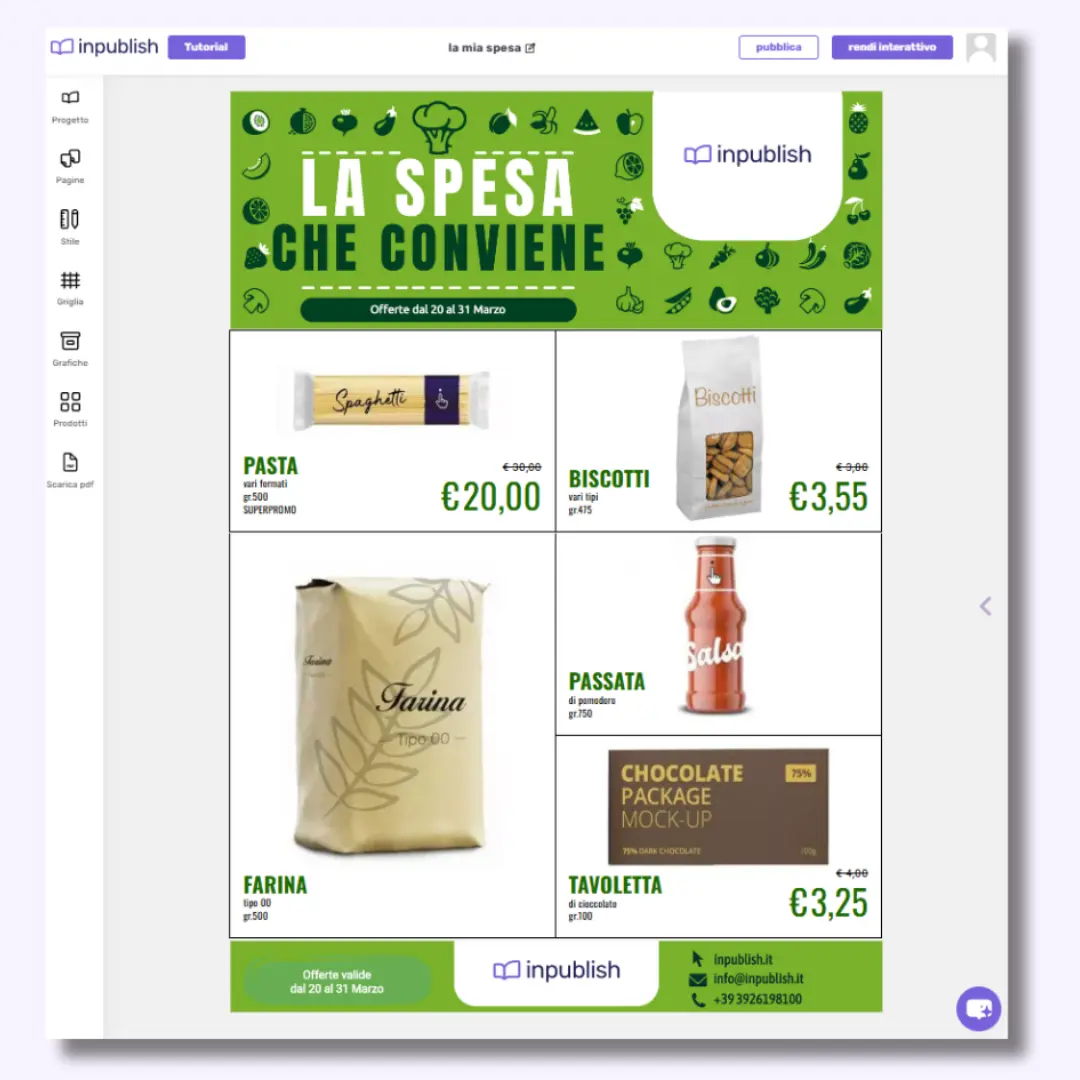
Page Theme: Set the overall frame of your flyer - choose the layout, page arrangement, banner position and the visual mood that immediately grabs attention.
Cell Theme: Customize each cell with precision: select the positioning of elements, colors, fonts and graphic style that express your brand's personality.
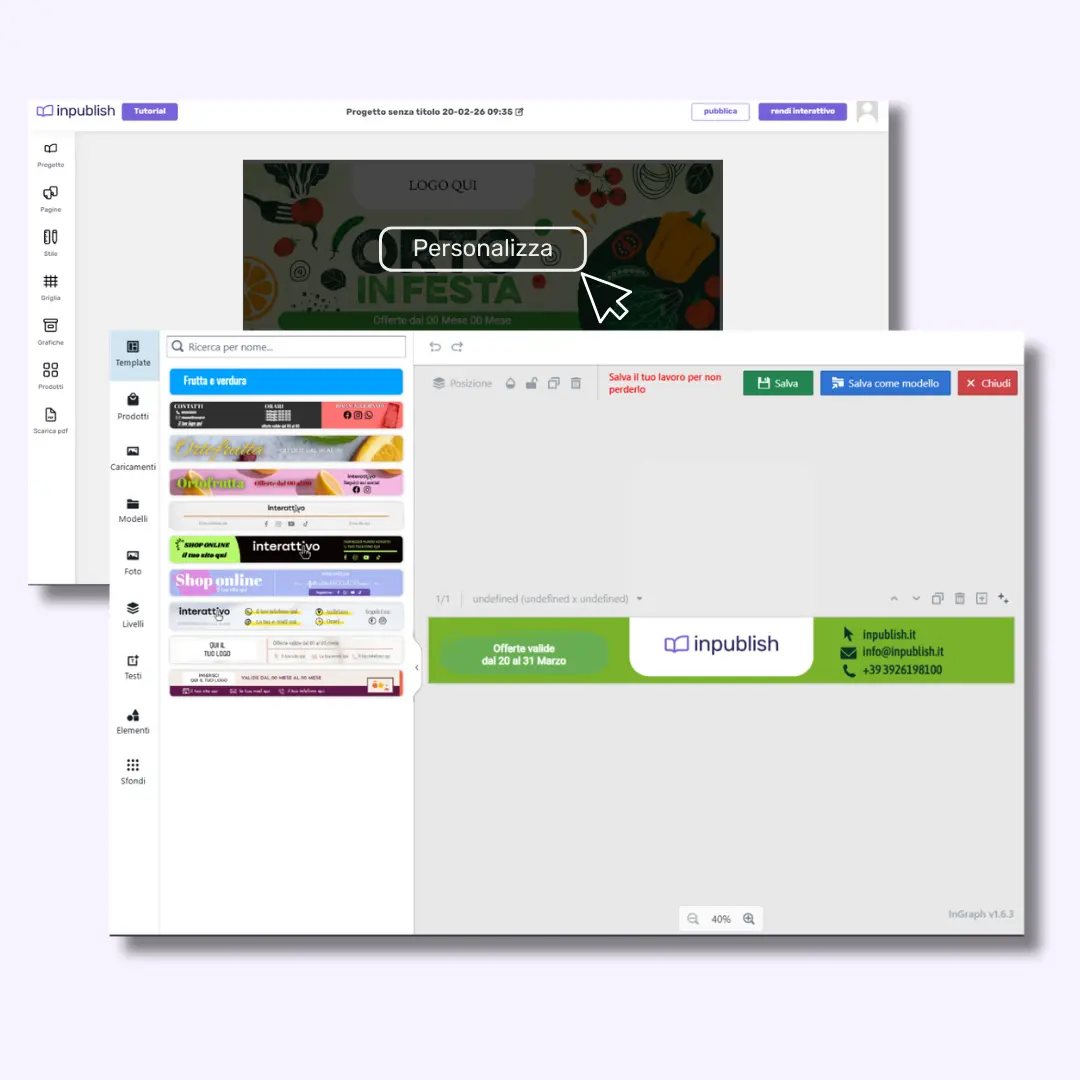
Customize Header and Footer
the header and footer are key elements for brand recognition
Add your logo and corporate colors, add contact details, QR codes or links to increase engagement.
Modify the header and footer structure to adapt it to your style.
Interactive content with AI in one click
an engaging experience for your customers
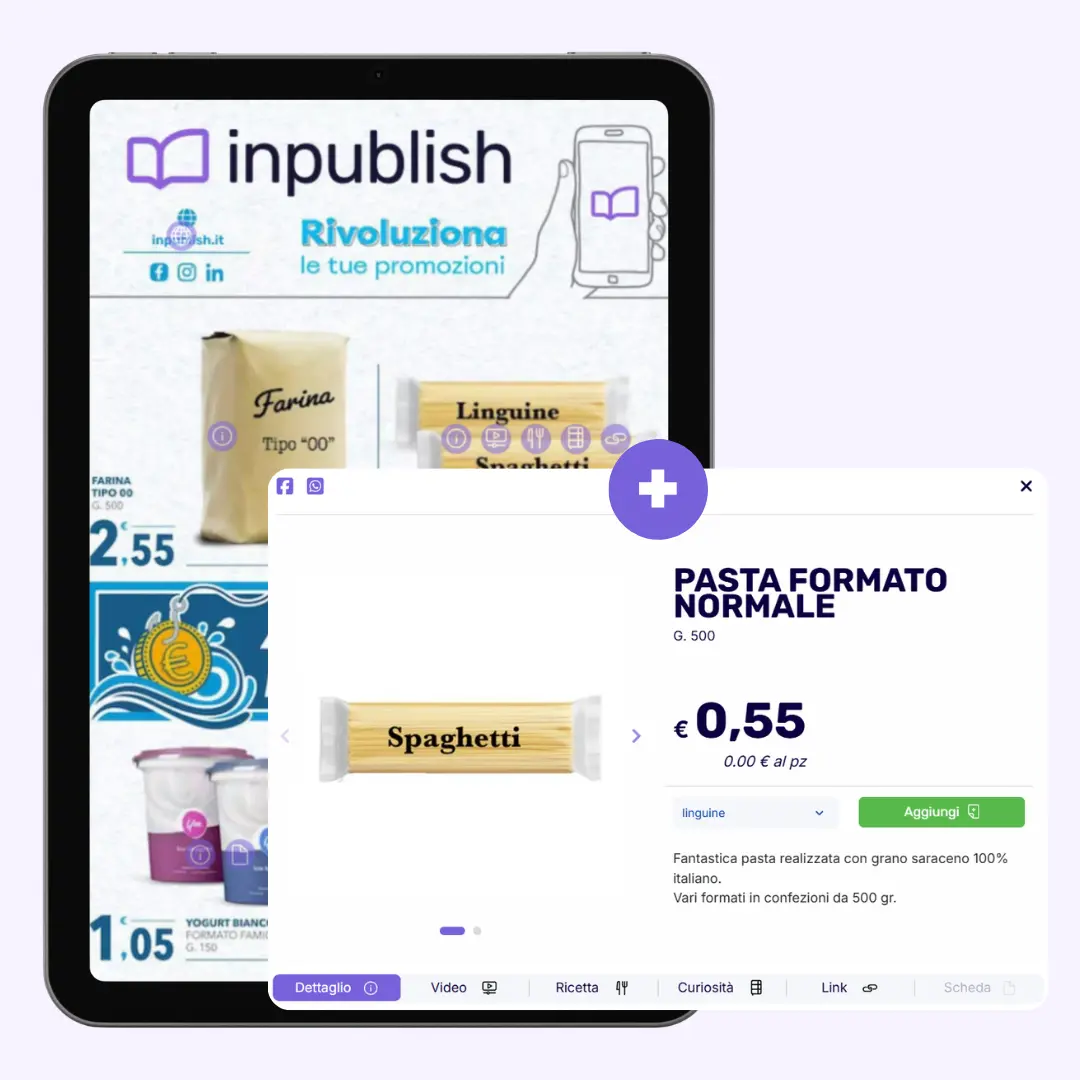
Thanks to artificial intelligence, every product added to your flyer becomes clickable and can be easily pre-ordered by your customers.
This means that readers don't just view your products: they can interact with them directly, requesting a purchase or pre-order.
If you activate inshop, every product in the flyer becomes pre-orderable, thus bringing the store directly into the hands of your audience.
Easy and intuitive navigation with the index
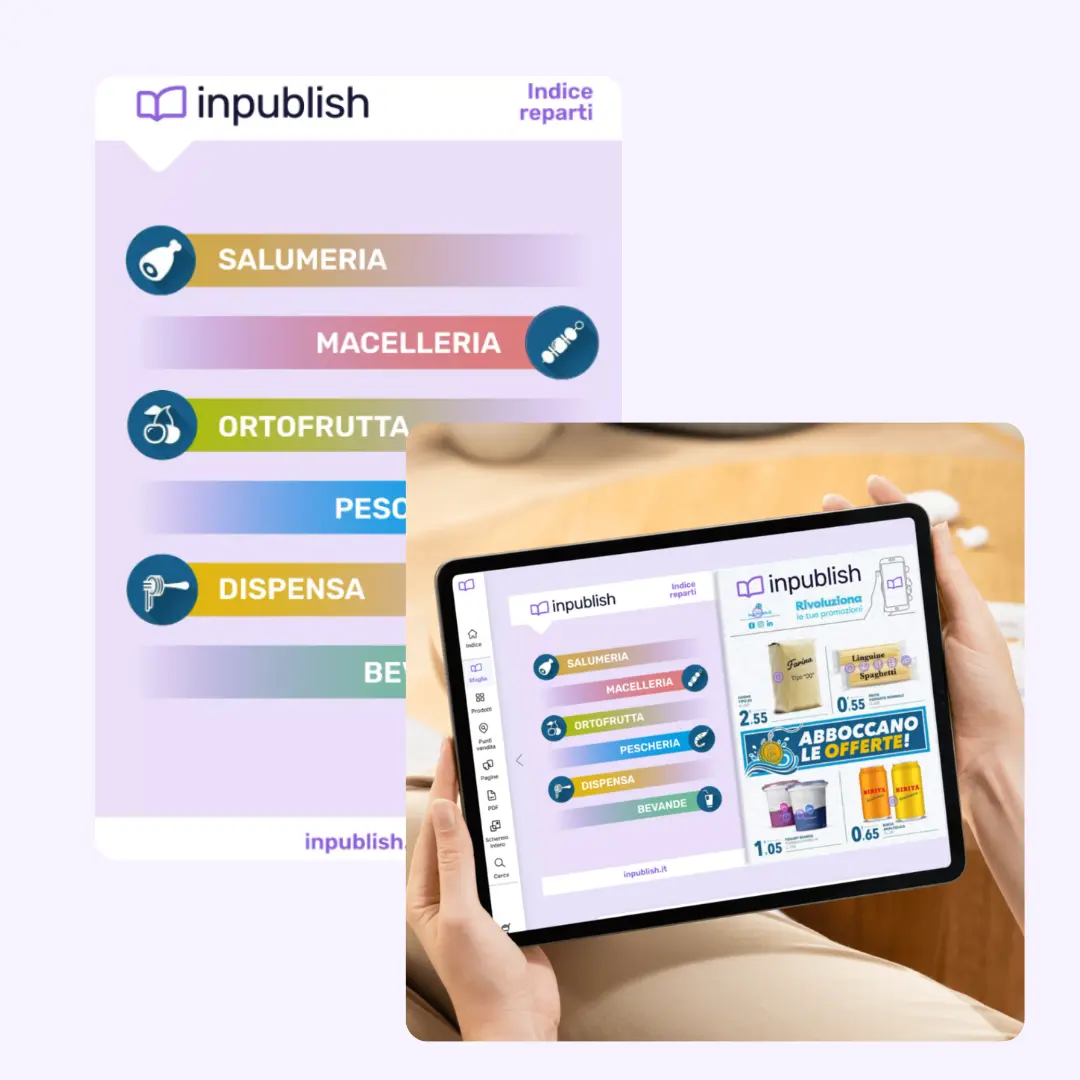
add an interactive index for simple navigation
Guide your customers to discover your products with an interactive index. The index allows readers to jump directly to the sections they are interested in, making navigating your flyer a fast, practical and user-friendly experience. Adding an index means greater usability and a more comfortable experience for the user.
Add a WOW effect with interactive content
engage your customers like never before
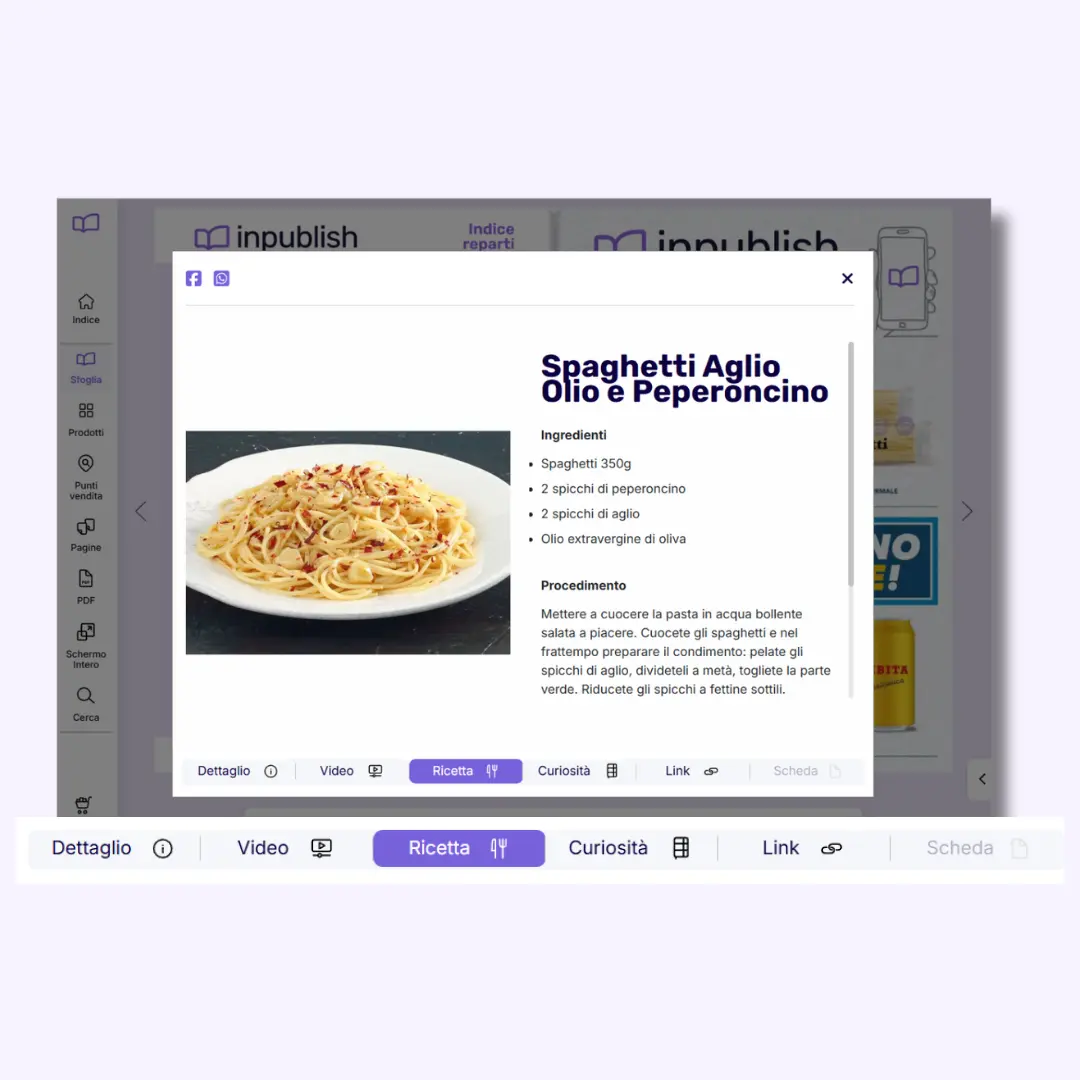
Want your customers to stop and interact with your products? Bring your items to life with videos, image carousels, recipes and external links.
Every product can be enriched with multimedia content that offers a unique visual experience and encourages purchases.
You can add explanatory videos, direct links to your online store, carousels to view different angles or even video tutorials. The result? Every interaction with the product is an opportunity to educate the customer and encourage them to buy.
Sell directly from the flyer with inshop
boost your sales directly from the flyer
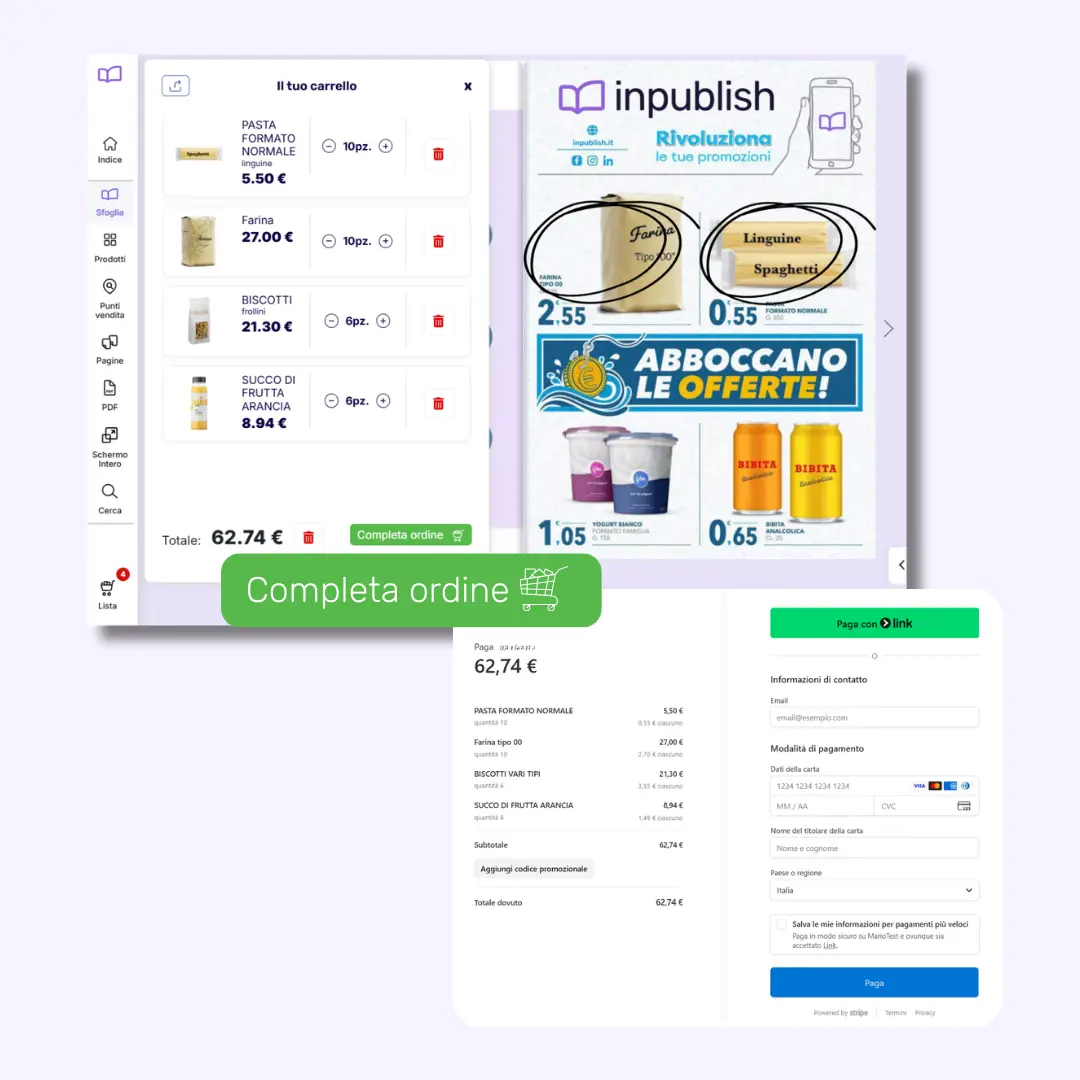
With inshop, you can activate a direct purchase feature that lets you sell from the flyer with a simple click. By setting a minimum spend amount, your customers can purchase in seconds without ever leaving the flyer.
The flyer is no longer just informative, but a real showcase for your sales. Maximize your profits without extra effort: sell faster, increase visibility and win more customers.
Publish and share on every channel in one click
reach millions of potential customers
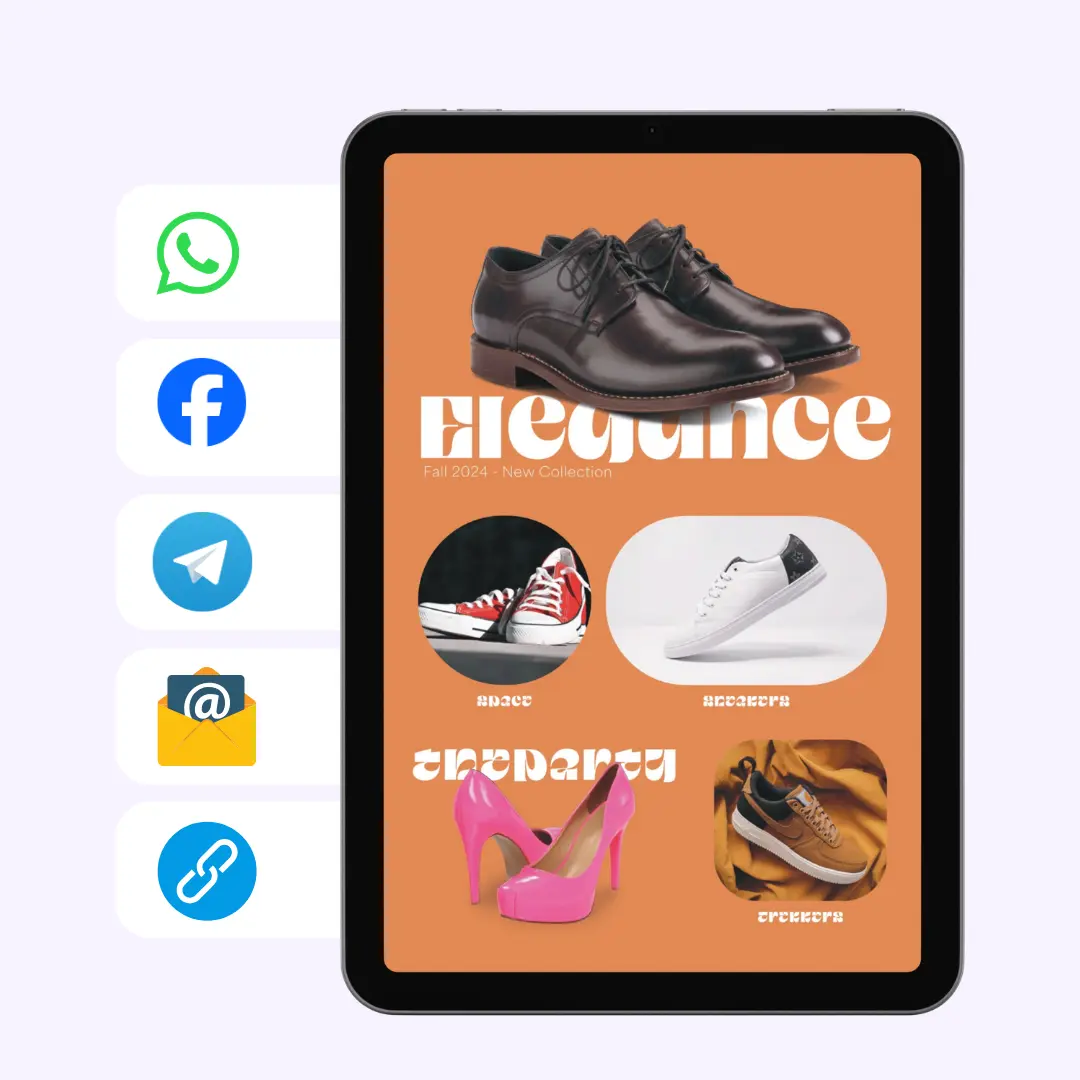
It's time to get the word out about your super promotion! Publish your flyer with a catchy title like "Super Promo" and add a sharing image that catches the eye.
Then, share it easily on WhatsApp, Facebook, Instagram, via email, on your website with an iframe code, or with the handy QR code. Share your flyer in a few clicks and reach an unlimited number of customers, everywhere.
Discover the power of our graphic editor:
With our graphic editor, you don't just create visually stunning content: you customize it fully and distribute it wherever you want.
Project:
customize every aspect of your flyer
Edit the project
Edit the name, change the structure and choose the theme that best represents you! Customize every detail to perfectly reflect your brand and make the flyer catch attention from the start.
View products added to the project
Everything under control. Thanks to the ability to view all products in the project at once, you can be sure nothing is left to chance. Review, add, edit: every product is a click away.
Pages:
simple and fast management
Add, delete or move pages
Want to reorganize your flyer pages? With the graphic editor you can add new pages, remove obsolete ones or change the page order easily and quickly. More pages, more ways to showcase your offers!
Change page order
Simplicity and speed for every change. You can move pages with simple drag and drop, optimizing the entire flyer navigation for a smooth reading experience.
Cell and page style:
customize as you like
Change cell style
Customize fonts, colors and text sizes, choose the image size and add badges and extra information. Each cell becomes a unique showcase to attract customers' attention. Don't forget to define the style for each page: edit the template, width and border color for an impeccable design.
Grid:
structure your creativity
Edit the grid at any time
The editor lets you customize the flyer grid at any time. Edit cells, redistribute content as you like and unleash your creativity! The flexibility that lets you choose every single detail for a perfect result is the heart of our system.
Saved templates:
optimize your projects
Select a template from the library
Access the library of saved templates and apply the base you like best. Already worked on a similar project? Don't waste time: retrieve the saved template in an instant. If it's your first time, remember to save the banner and footer template so you don't have to start over every time!
Products:
your digital showcase
Add and search for your products
You can search for them, drag and drop them directly onto the project or, if already uploaded, move them straight into the flyer. It's really easy and fast, with no hassle!
PDF:
digitize and print with no compromises: your PDF always at hand
Finished designing your flyer?
Don't stop there! Download a high-quality PDF to print your flyer or share it offline. With the PDF download feature, you get a high-quality printable copy to distribute wherever you like. Perfect for campaigns that also run offline, or if you want to keep a printed version of the flyer for your customers. Not just digital, but a complete multichannel experience that amplifies your visibility everywhere, in just a click. Share, print and reach every audience, everywhere.
Share in one click:
one link, endless possibilities
Share everywhere
Every publication has a link and you can send it via WhatsApp, email, SMS, or share it on social media like Instagram, Facebook, LinkedIn. Whoever receives it opens it and starts browsing. No downloads, no app to install. Have a website? You can embed the catalog directly into your pages with the iframe code. Visitors browse without leaving the site. Want to bring digital offline too? Every publication generates a QR code. Print it on posters, business cards, shop windows, packaging. The customer scans it and lands on your catalog. One piece of content. A thousand ways to get it to your customers.
Are you interested in inpublish? Fill out the form and we will get back to you.
Discover the inpublish suite


Create, share, and sell
Create, share, and sell
Publish flyers and catalogs and forget about printing. Remarkably convenient and simple.


E-commerce made easy and successful
E-commerce made easy and successful
Set up your online store and start selling completely on your own. Manage everything from the platform and integrate it with other services.


Your fast, custom website
Your fast, custom website
Choose your brand and layout, and we will quickly develop your online presence. You can control it from the Suite and connect it to other services.


Your whole business in the palm of your hand
Your whole business in the palm of your hand
The perfect app for your business. Showcase your brand and connect with your community. You'll have full control of the app from the Suite.


Your customers always with you
Your customers always with you
Make your presence and support felt by those who choose you. Easily manage SMS and WhatsApp communications, rewards, loyalty cards, all while respecting privacy.


The full power of Instant Marketing!
The full power of Instant Marketing!
Reach your customers in a direct and effective way. Boost engagement and loyalty rates and enjoy the benefits of total tracking.
